Real-Time Alerts
Findings only get fixed when someone sees them. DNS Watchdog routes findings into the channels your team already watches, as soon as each scan completes.
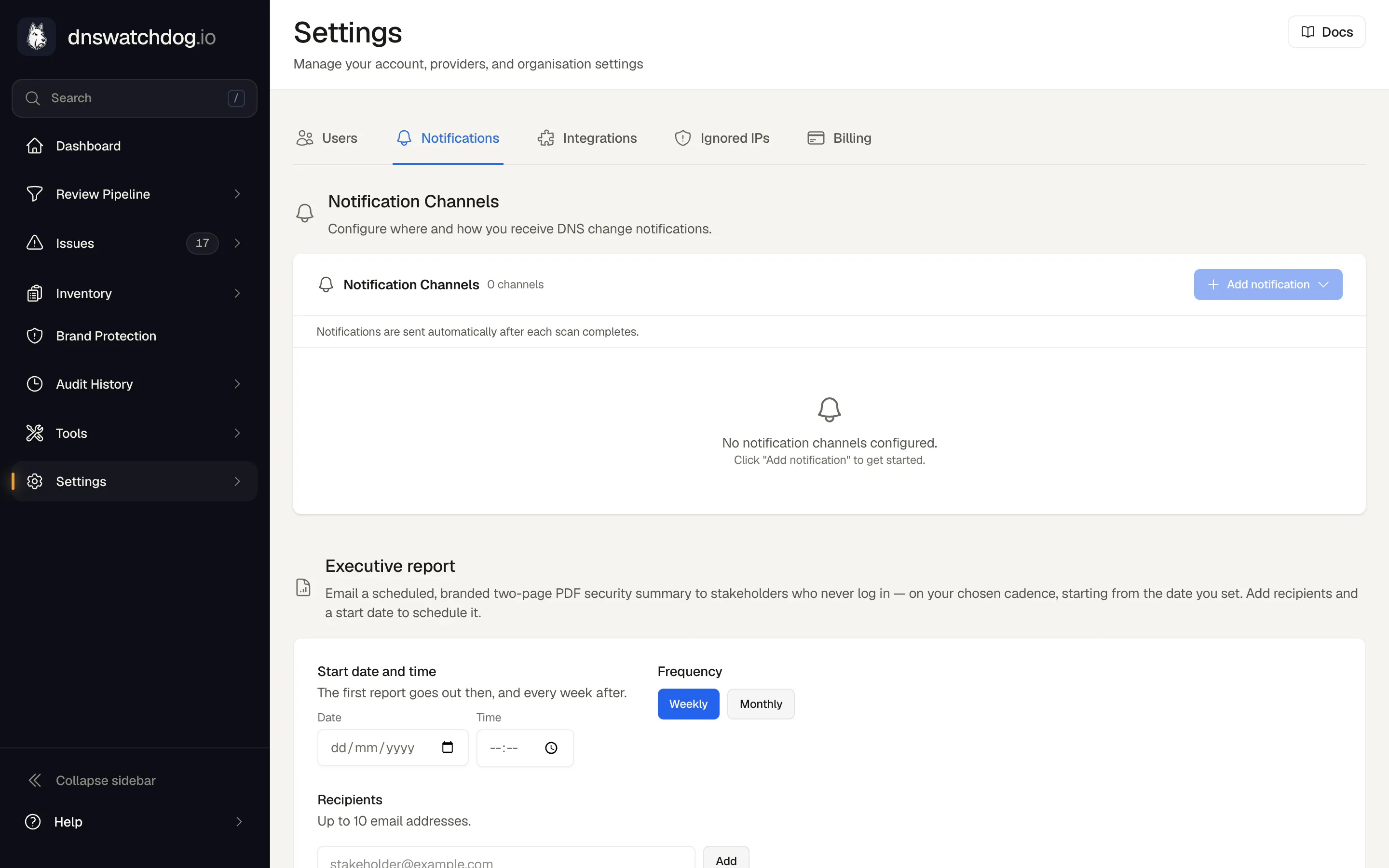
Detection only helps if the right person sees the finding while it still matters. DNS Watchdog delivers scan results into the tools your team already uses: Slack messages formatted with Block Kit, Microsoft Teams Adaptive Cards, HTML email, structured JSON webhooks for your ticketing system or your own automation. Security teams that work from a SIEM can stream the same findings there as OCSF or CEF events through a dedicated SIEM channel.
Every notification is built for fast reading: the scan's details, summary counts by category, and the most security-relevant changes first (new issues lead, followed by resolutions and deletions, then additions and modifications), with a direct link to the full changelog. You can run multiple channels of each type, so the on-call Slack channel, a security distribution list, and a webhook into your automation can all receive deliveries independently.
Just as important is what does not get sent. Notifications fire only when a scan actually detects changes; a provider's initial sync is treated as baseline rather than broadcast as hundreds of 'new' records; and internal scanner metadata is excluded from diffs, so a timestamp shuffling is never dressed up as a change. Channels are isolated, so a failing webhook never blocks your email; each has a test button, and a channel that fails three deliveries in a row is flagged for attention rather than silently dropping alerts.
How it works
- Scan completesDaily scans, provider re-syncs, and record rescans all conclude with a comparison against the previous state.
- Changes groupedDetected changes are grouped (issues found, issues resolved, records added, changed, and deleted, zones added and removed) and ordered with the security-relevant changes first.
- Formatted per channelThe same content renders natively in each channel: Block Kit in Slack, Adaptive Cards in Teams, HTML with plain-text fallback in email, and structured JSON on webhooks.
- Delivered independentlyEvery configured channel gets its delivery in isolation, so one endpoint failing never holds up the others.
- Linked to detailEach notification links straight to the full changelog for that scan, so from alert to investigation is one click.
What you get
- Native Slack (Block Kit), Microsoft Teams (Adaptive Cards), and email notifications
- Custom webhooks with a structured JSON payload for anything in your stack
- Multiple channels per type, each delivering independently
- Changes ordered by security relevance, with new issues first
- Initial provider syncs treated as baseline, so connecting a provider doesn't flood you with alerts
- Per-channel test button and health status, with failures flagged after three strikes
Why it matters
Findings where your team already works
Nobody logs into another dashboard on a good day. Alerts in Slack, Teams, and email put findings in front of people inside the tools they already have open.
Built to avoid alert fatigue
Notifications only fire on real changes, ordered security-first, with scanner noise filtered out and initial syncs baselined. The alert channel stays worth reading.
Automation-ready
The webhook payload carries the scan type, counts by category, and the changes themselves as structured JSON, ready to open tickets or page on-call.
You find out when an alert path breaks
Isolated per-channel delivery, a test button for every endpoint, and explicit error states after repeated failures mean a broken alert path is flagged, rather than discovered during an incident.
FAQ
What triggers a notification?
A completed scan that detected changes: new or resolved issues, records added, changed, or deleted, zones appearing or disappearing. Scans that find nothing new send nothing, and a provider's first sync is treated as baseline data rather than a wall of alerts.
Can different teams receive alerts in different places?
Yes. You can configure multiple channels across all five types. The on-call Slack channel, a security email list, a Teams channel, a webhook and a SIEM feed can all be active at once, each enabled, tested, and monitored independently.
What does the webhook payload contain?
A structured JSON body with the scan type and timing, who initiated it, total changes, counts grouped by category, and the changes themselves with field-level diffs, plus a link back to the full changelog. It is designed to be consumed by ticketing systems and paging tools directly. For a SIEM, use the dedicated SIEM channel - it speaks OCSF and CEF natively.
Does it integrate with my SIEM?
Yes. A SIEM channel streams every finding and DNS change into Splunk, Microsoft Sentinel, Google SecOps, IBM QRadar, ArcSight or any other collector as OCSF or CEF events, without a custom parser. See SIEM Integration for the formats and delivery guarantees.